

Quivva vs Harvest
Harvest is a well-established time tracker built around producing an accurate record of hours worked, with invoicing attached to the end of it. It suits teams where hours are submitted, approved and billed.
Quivva is a practice management tool for one person running a small number of retainer or engagement-based client relationships. Time is tracked so that you know your position: how much of each retainer is spent, what you have left this week, and whether you can responsibly say yes to more work.
If you need a shared timesheet across several people, Harvest is the better tool and this page will not talk you out of it.
If you are a fractional executive or solo consultant with three or four clients and the recurring problem is that you cannot tell where you actually stand until you sit down with a spreadsheet, that is the gap Quivva was built for.
The problem this page is really about
Most people who end up comparing these two tools are not looking for a stopwatch. They are thinking about the third week of the month, when a client asks whether you have capacity for an extra piece of work, and you cannot answer without exporting hours and doing arithmetic in a spreadsheet.
Harvest is very good at capturing the hours. It stops there. Everything after the capture, working out where you stand on a retainer, whether you have already overcommitted your week, whether the shape of your month is sustainable, is left to you.
Pricing
Harvest is around US$11 per month, or US$108 per year, per person.
Quivva is US$15 per month, or US$144 per year.
Harvest is slightly cheaper. Though at roughly 4 dollars a month, the difference is not a real deciding factor for anyone billing consulting rates.
Especially where mistakes can cost hundreds or even thousands that month. Or worse, lead to reputation damage that may take months to shake.
What time tracking is for
This is the actual difference between the two products, and it is a difference of purpose rather than features.
In Harvest, time tracking produces a timesheet. The interface makes this clear once you use it. There are views for unsubmitted, pending approval and approved time. Those are approval workflow states, and they only make sense if somebody other than you is checking the numbers. As a solo consultant you are submitting time to yourself.
The entry flow reflects the same assumption. You have to navigate to the Time page before you can start tracking anything, and the interface leans toward adding a block of time after the fact rather than running a live timer through your day. Once a record exists, continuing it is easy, you click start on the previous entry, but the first move is always a deliberate trip to a specific screen.
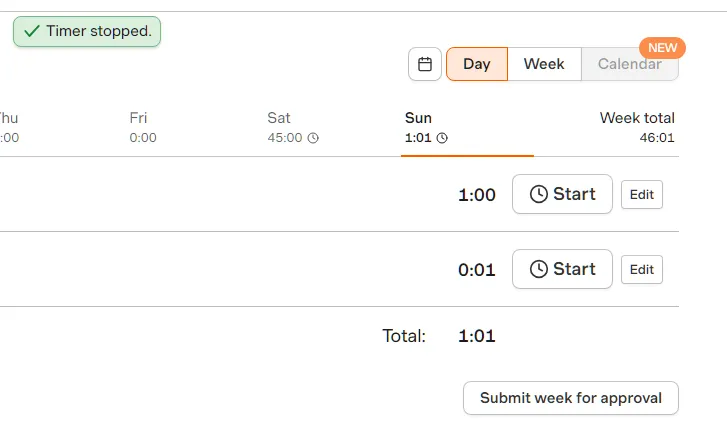
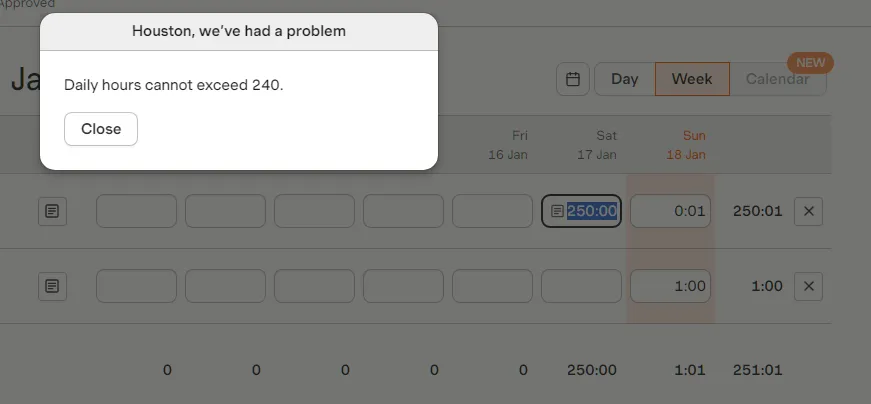
There is a rough edge worth knowing about here. Harvest’s smallest unit is minutes, but the manual entry field is labelled in hours, and it is easy to enter a number in the wrong unit without noticing.
In testing this produced a 45 hour time record on a Saturday. Harvest does validate, but the ceiling is 240 hours in a single day, which is generous enough that a genuine mistake will sail through it.
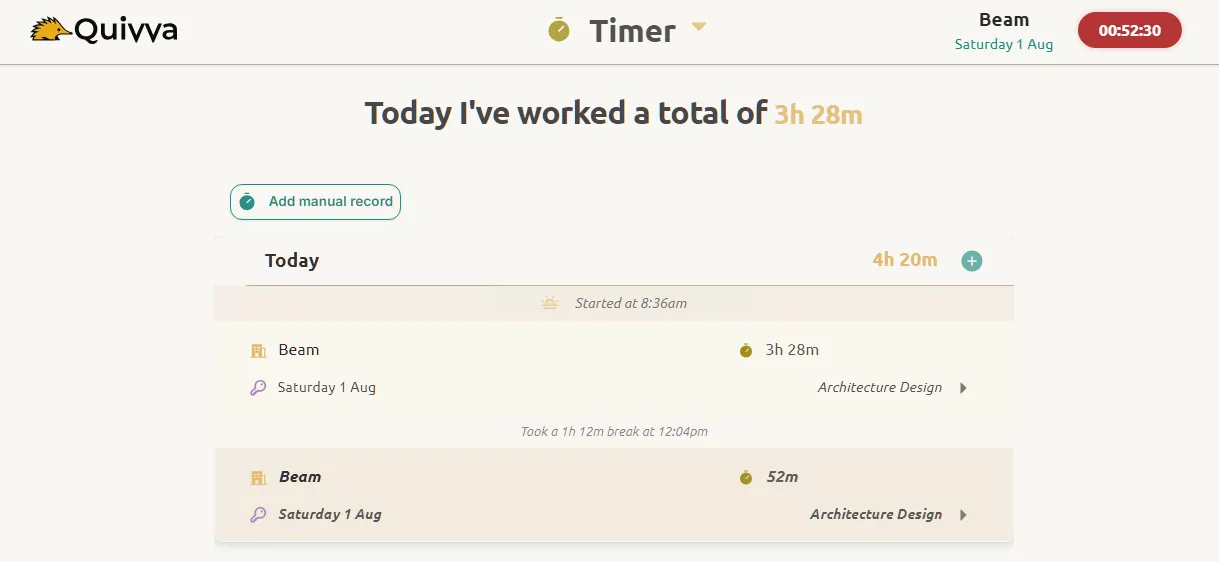
In Quivva the timer lives in the header on every screen, so starting and stopping is not a navigation decision. Only one timer can run at a time, deliberately, because that is how solo consulting actually works. Task names autocomplete from your previous work for that client, which matters later because task name is what groups records into invoice lines.
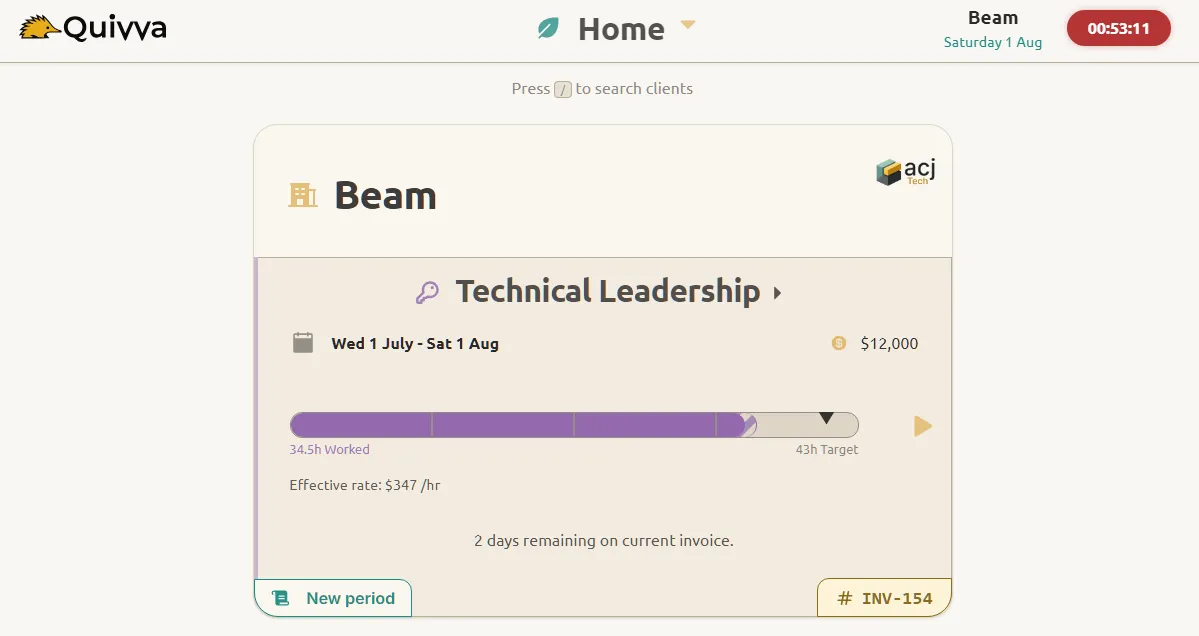
The part that has no Harvest equivalent is what happens with the number once it exists.
Quivva knows the retainer the time belongs to, so it can tell you how many billable hours remain in the current period and in the current week. It warns you when fewer than two hours remain in the week’s allocation, or when the timer you are about to start would push you past the contracted amount.
You also set your actual working pattern, for example eight hours Monday to Thursday and four on Friday, and that feeds the weekly planner. The question being answered is not “how many hours did I log” but “what can I take on”.
Invoicing: what happens after the hours are recorded
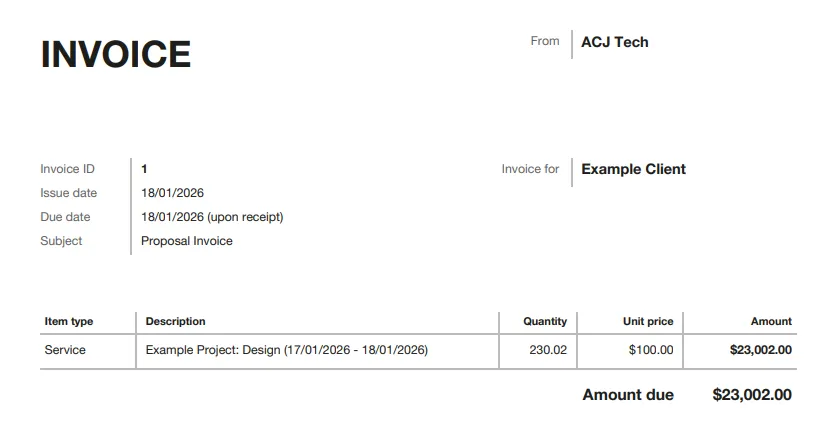
Harvest will generate an invoice from tracked time, and the preview is genuinely nice looking. But the process exposes how loosely coupled the two halves are.
Billing is literal to the minute. In testing, an hourly rate of US$100 applied to 230 hours and 1 minute produced an invoice for US$23,002. No rounding, no sanity check. That is perhaps defensible for an outsourcing agency, but for a consultant sending an invoice to a client they want to keep for three years, minute-level precision on a retainer reads as slightly odd.
You also do not choose your own invoice lines directly. Harvest offers to generate a line per project, per person or per task name, and you edit afterwards. It is workable, but it is an extra step from a solo consulting perspective: you are converting a pile of tracked hours into something a client should read.
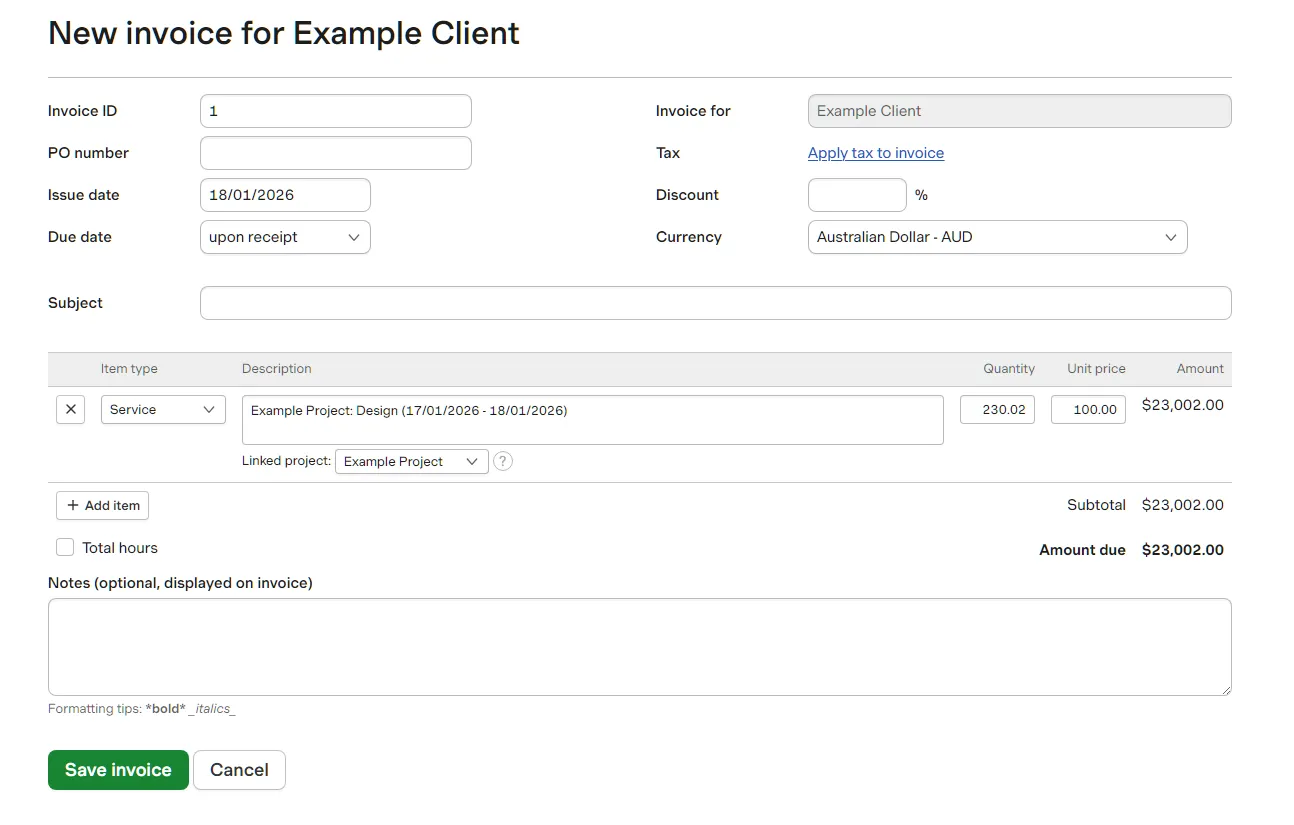
Adding your bank details is possible, but they sit behind a checkbox for “export in UBL format”, and even after ticking it the bank details did not appear on the invoice itself. For anyone taking payment by bank transfer rather than card, which is most consultants outside the US, that is a real problem rather than a cosmetic one.
Harvest emails the invoice to clients in a nicely presented HTML email, which also contains the main information without needing to open the PDF.
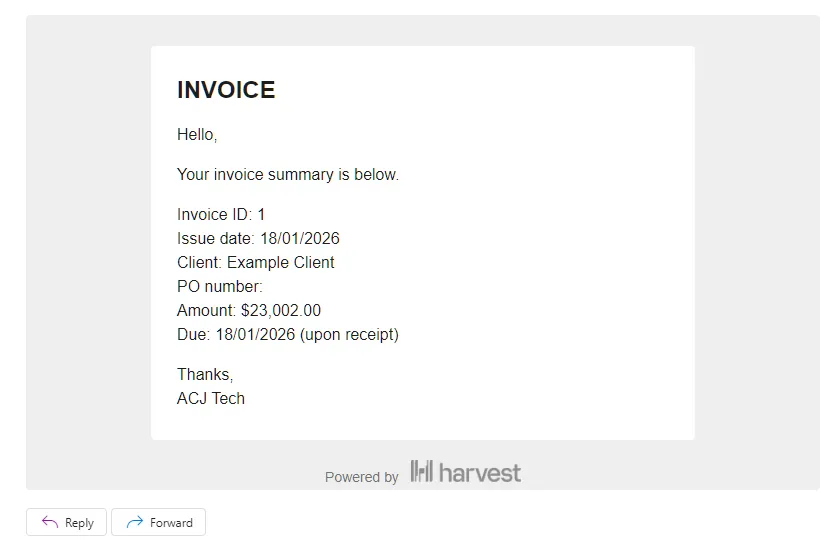
Unfortunately, it is not possible to remove the Harvest branding without upgrading to the Enterprise Plus tier. This is advertised as “custom pricing”, presumably at a higher rate than the $17.50 /mo Enterprise tier.
This is not a problem for the invoice PDF however. If branding is important to you, it is possible to send the invoice to yourself, then email the attached PDF to your client from your own email account.
Quivva approaches this from the other end. Because time is already attached to a specific retainer period or project milestone, the invoice is close to a side effect rather than a task.
Records group by task name into line items automatically, and you can merge two groups into one line where your naming drifted mid-month, or split them back apart.
You pick which of your bank accounts appears, review, and send. Each client carries their own currency, payment terms and preferred bank account, so those are not decisions you re-make every month.
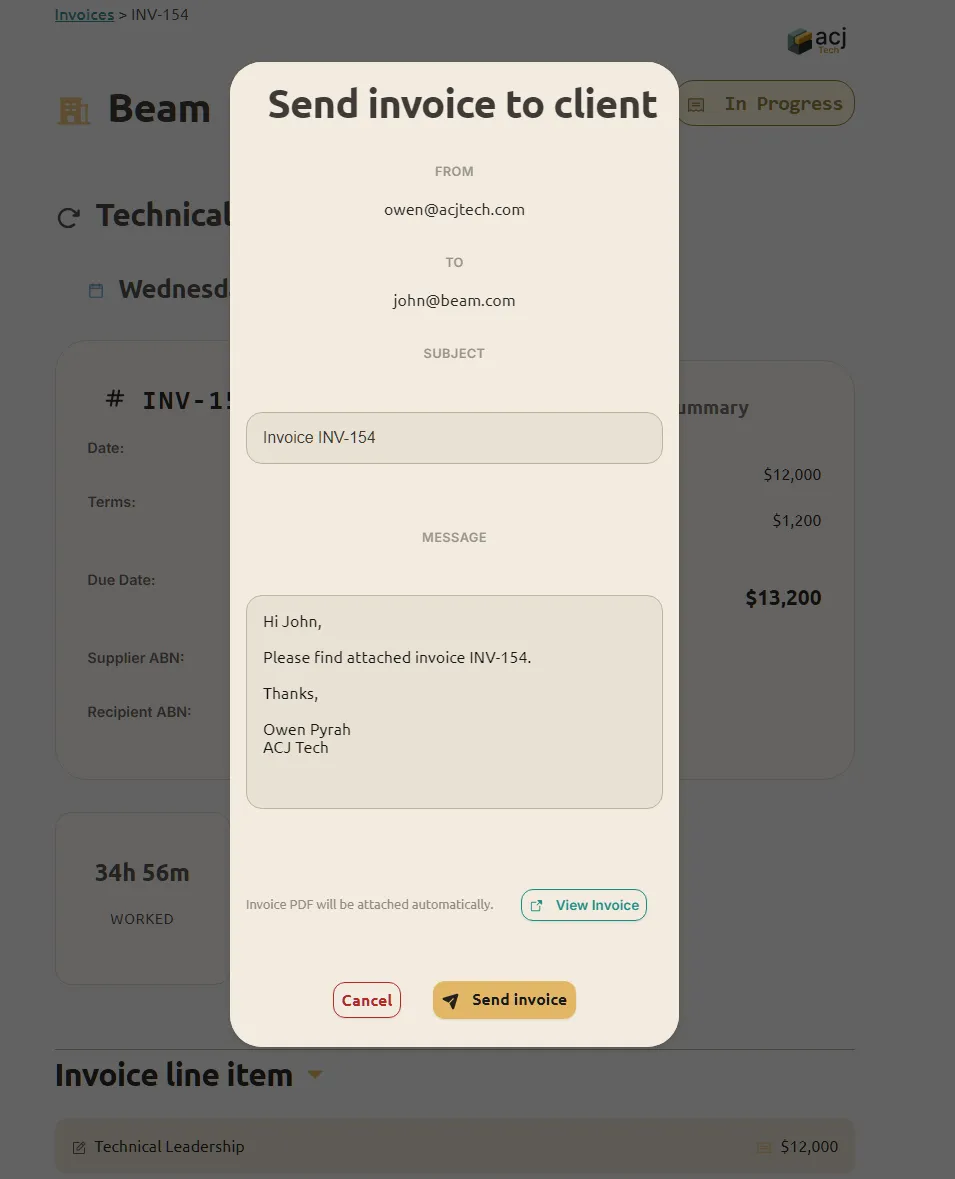
One deliberate difference: Quivva sends the invoice as a plain text email with the PDF attached, rather than a designed HTML email.
For a retainer client you speak to every week, an invoice that looks like it came from a billing system rather than from you is not obviously an improvement.
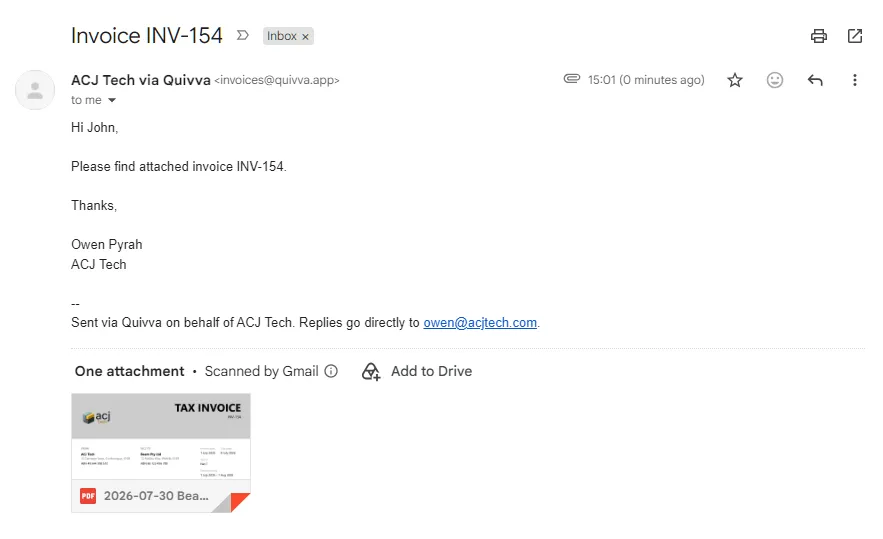
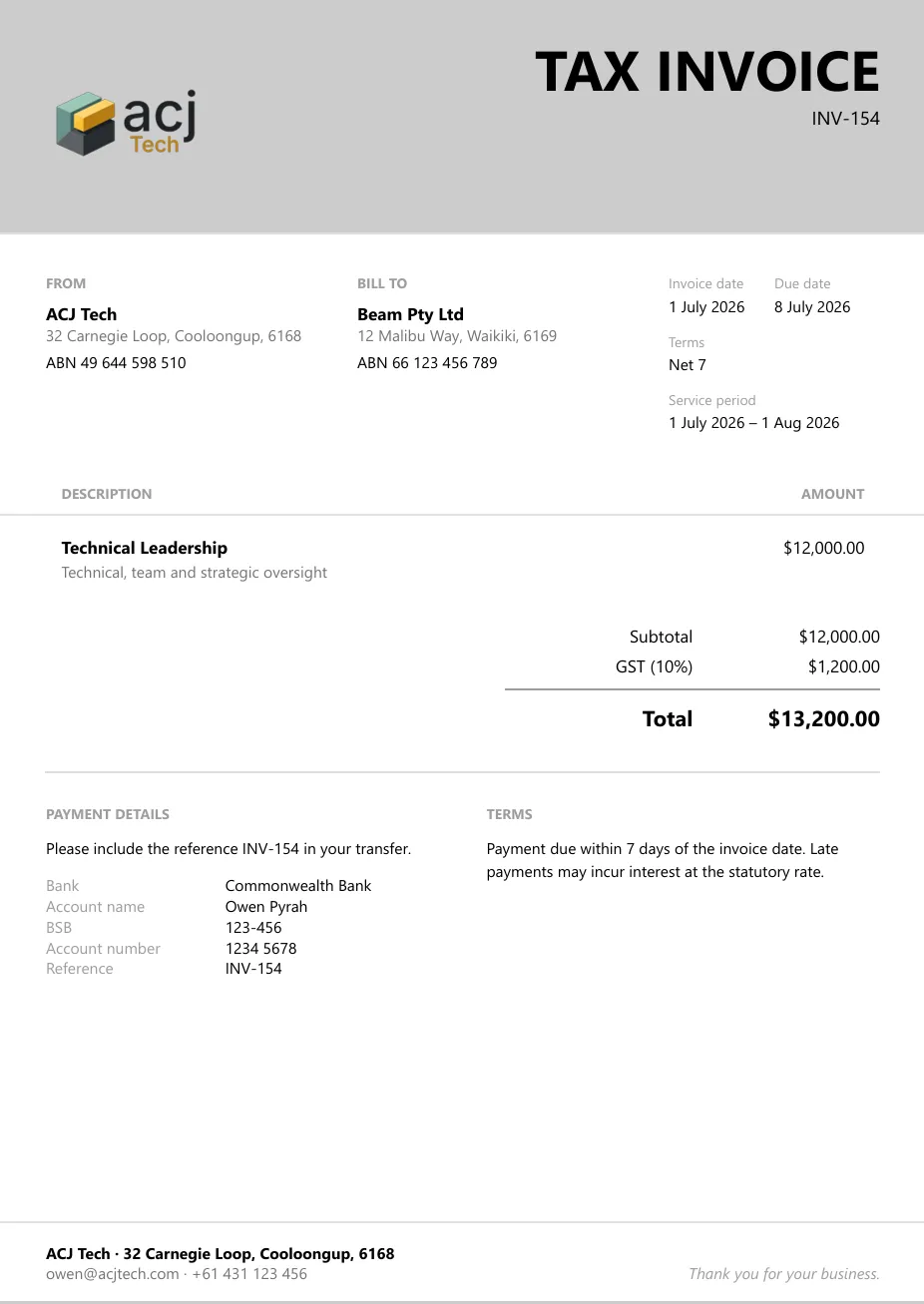
Quivva does not attempt to insert its own branding into your client communications. For a serious professional, this is almost a requirement when providing a premium service.
Quivva uses only your own branding (it is also possible to run multiple businesses/brands from a single Quivva account) on the invoice PDF.
Where Harvest is the better choice
Harvest wins on several things:
It is mature and widely integrated. Harvest has been around a long time, connects to a large number of other tools, and has apps that people already know how to use.
It handles teams. If you have a subcontractor, an associate, or any expectation of growing past one person, Harvest already does what you will need. Quivva does not, by design, and adding it would compromise what it is good at.
Which to choose
Choose Harvest if hours need to be recorded, approved and reported across more than one person, if you need a mature integration ecosystem, or if you want a tool that has been proven at scale for over a decade.
Choose Quivva if you are one person carrying a handful of high-value client relationships, if the real question you need answered each week is what you can commit to rather than what you logged, and if you want the invoice to fall out of work you have already recorded rather than being assembled from it.
If you are honestly somewhere in between, the deciding question is whether your time tracking exists to produce a record for someone else, or to inform your own decisions. Harvest is built for the first. Quivva is built for the second.